
New Gmail Account Settings, Features and Design.
Google Mail has just launched one of their biggest re-designsin recent memory. See want has changed here.
If you are here to create a new account, then go straight to our Gmail New Account page.
What is new in the revamped Gmail?
Google Mail changes include: Email snoozing, “nudging”, “smart replies”, and an Email Confidential Mode.
You will be invited to try the new design and features in a wlecome email, but ultimately Gmail expects to roll out the changes to all their 1.4 billion users. Keep an eye out for a “Try the new Gmail” tab in the settings at the top right of your screen.
New Gmail Confidentiality Mode.
The new Google Mail confidential mode allows you set “expiry dates” for emails and stop recipients from forwarding or copying these emails.
Set an expiration date for a sensitive email or to revoke it. This works by not sending the confidential email directly to the receiver, but sending a link to the content, which is placed on a seperate Web Portal. The sender decides how long the other party can view the message for.
You can also request “Two-factor authentication (2FA)” for each email. This works be aking the recipient to verify with a passcode received via text message, before they can open a confidential email.

Source: Google Gif
Put Google Emails on “Snooze for Later”.
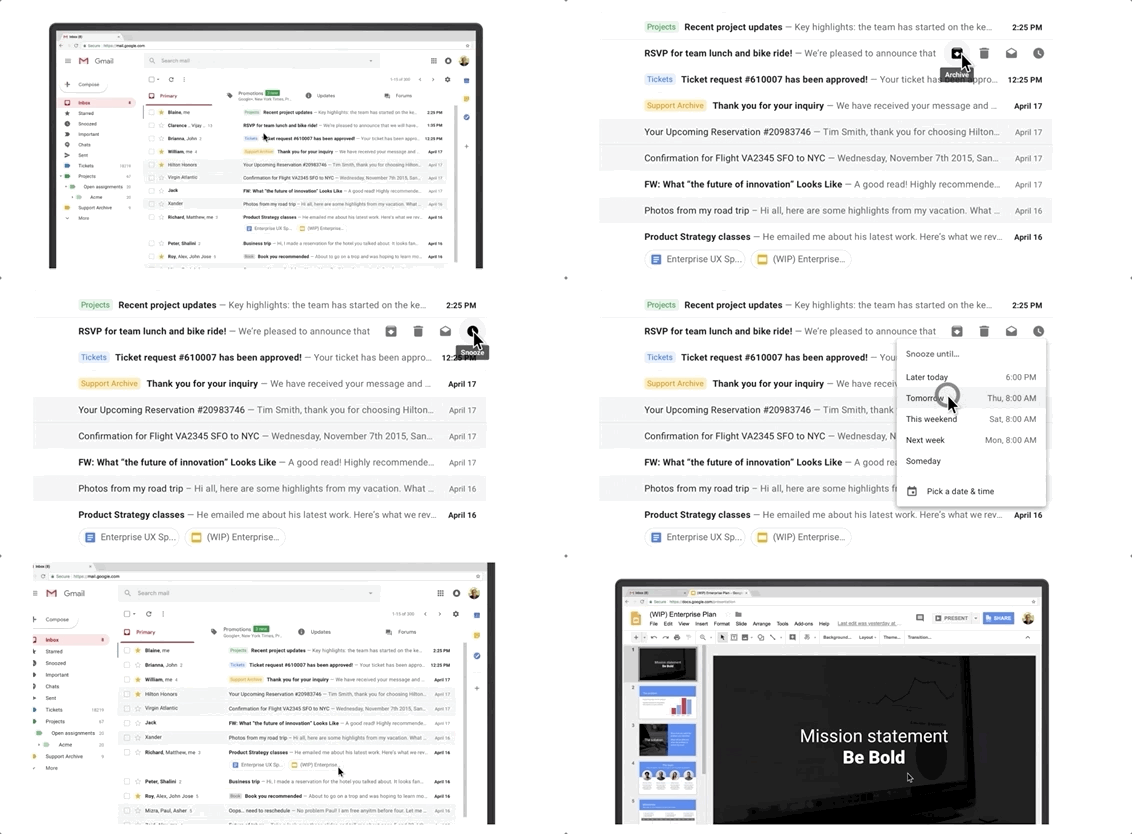
Another new feature is that you can “snooze” an email for later by hovering over an email in the Gmail inbox.
A new hover menu lets you choose what to do with a new email: Archive, Delete, Mark as Read, or Snooze for Later.
Google is also adding “nudging” of emails, which will highlight those email that Gmail deems require a time-sensitive action or response.
Source: Google Gif
New Gmail Design Changes.
Gmail’s web interface now lets the user collapse the left-side panel of navigation links and open up more horizontal space.
The mobile Gmail look will stay pretty much the same.
New Gmail Offline Mode.
Google has now introduced a new offline mode. Users who travel a lot, can now take their standard Gmail interface offline and work in the same environment.
An email will then automatically be sent out once the user has a WIFI connection again.
New Gmail “Smart Reply”.
Gmail will now roll out their controversial “Smart Reply” function to all users, which lets the Google AI read your incoming emails and suggest 3 “Quick Reply” options, such as “Yes, Please”, “Not Today, Sorry”, No, Thank you”, etc, depending on the email. This allows the receiver to make a faster answer. Google estimates that 10% of users use this option when offered.
Share your experiences with the new Gmail system in the comment section below.
Image: © Google.